Recording the Game Is Not the Same as Breaking It Down
A video library preserves the game. A breakdown makes it usable. Learn the difference between recording, storing, tagging, and analyzing basketball film.
A camera can capture every possession and still leave a coach with no answer to the question that matters on Monday morning: What should we work on next?
That is because recording a basketball game and breaking it down are different jobs.
The recording is evidence. The breakdown is structure: players identified, events counted, shots located, minutes calculated, and useful moments separated from the full video. Confusing the two is why so many teams own hours of film but still depend on memory, spreadsheets, and late-night rewinding.
Four jobs that are often treated as one
Basketball video systems tend to solve one or more of four distinct problems.
1. Recording
The camera’s job is to preserve the game. Good footage makes the ball, players, and court visible enough to review later.
Recording answers: Do we have the game?
It does not automatically answer who scored, which five players were on the floor, or where the shots came from.
2. Storage and sharing
A video library keeps files organized and lets coaches, players, or families access them. This is valuable—especially across a long season—but it is still a library.
Storage answers: Can we find and watch the game?
It does not necessarily turn that game into a box score or separate one player’s possessions from the rest.
3. Tagging
Tagging adds labels to the timeline: made shot, turnover, rebound, pick-and-roll, transition, or any category the staff wants to revisit.
Tagging answers: Can we jump to the possessions someone labeled?
The limitation is in the word someone. When the staff creates every tag manually, the tool organizes the work but does not remove it.
4. Breakdown
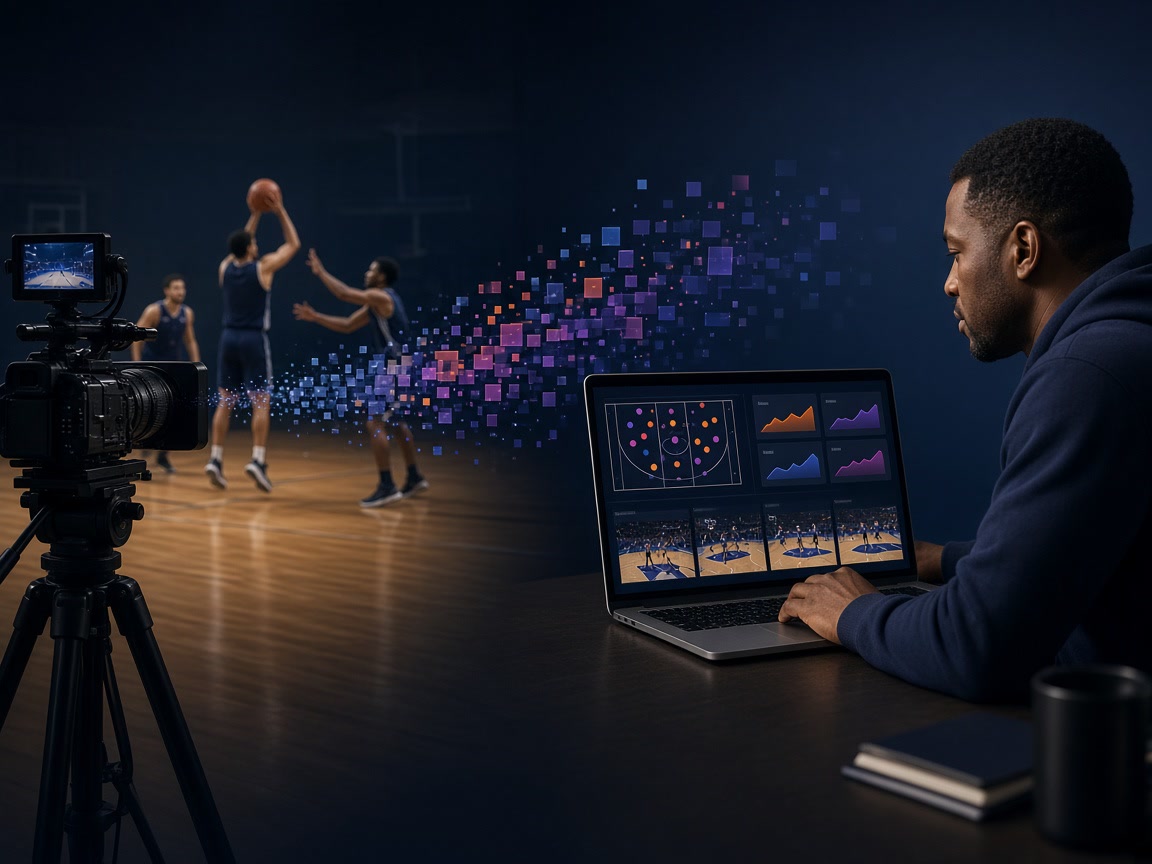
A breakdown converts the footage into an organized record of what happened. For Playtics, that means both teams’ box scores, shot locations by zone, minutes and plus-minus, and highlights organized per player, per team, and per game.
A breakdown answers: What happened, where did it happen, and where should we look first?
Why a video library can still create hours of work
Imagine a coach wants to review every shot taken by the starting point guard.
With raw film, the coach watches the timeline and finds each attempt. With manually tagged film, someone first labels those attempts and the coach filters them later. With an automated breakdown, the player’s numbers and clips are already organized when the coach opens the game.
All three workflows begin with the same recording. The difference is how much preparation stands between the file and the basketball conversation.
That gap becomes larger when the question involves context:
- How many minutes did the player actually play?
- What happened to the score during those minutes?
- Where did their attempts come from?
- How did the opponent score during the same stretch?
- Is this one game an exception or part of a season pattern?
Raw video contains the answers, but it does not present them. Someone—or something—must build the structure.
What “we already film every game” should mean
Filming every game is the right foundation. It means the team already owns the most important input: its own footage.
The next question is not whether to replace the camera or the library. It is whether the film can produce more value without adding more staff hours.
A useful system should fit around the workflow the team already has:
- Accept footage from the camera already in use
- Avoid new hardware in the gym
- Return the game within the staff’s preparation window
- Keep corrections in the hands of the coach or analyst
- Add each game to a season record instead of creating another isolated file
That is an integration question, not a brand question. A team can keep the tools it values and still improve what happens after upload.
What automation should—and should not—do
Automation is well suited to repetitive factual work:
- Counting events
- Identifying players
- Calculating minutes and plus-minus
- Mapping shot locations
- Organizing highlights
It is not a substitute for the staff’s interpretation.
A box score can show that a lineup lost six points in four minutes. It cannot decide whether the cause was poor shot selection, transition defense, fatigue, or a matchup the staff deliberately wanted to test. A shot map can show where attempts came from. It cannot decide whether a missed corner three was exactly the shot the offense wanted.
The best division of labor is simple: the system organizes the evidence; the coach explains it.
Five questions to ask about any film workflow
When evaluating what happens after a game, ask:
- What arrives automatically? A recording, a tagged timeline, or a complete statistical breakdown?
- Whose time creates the output? The coach, a video coordinator, an outside service, or the software?
- How quickly is it usable? Before the next practice, or after the teaching window has passed?
- Can the owner correct it? The person responsible for the analysis should control edits and sharing.
- Does the value accumulate? Each game should strengthen the player and team’s season history.
Those questions reveal more than a feature list. They show whether a tool actually changes the staff’s week.
The file is the beginning, not the result
Basketball programs do not film games simply to own video. They film so coaches can teach, players can learn, and the next decision can be made with evidence.
That requires a chain:
Record the game → organize the facts → find the relevant clips → add human judgment → teach the lesson.
A camera completes the first step. A true breakdown moves the staff to step four.
Already recording every game? Tell us what happens after you press stop.